5 Essential Weekly Planning Tools for a Trendy and Productive You
- Amani howard
- Feb 12
- 3 min read

Planning your week can feel overwhelming, especially when life throws unexpected tasks your way. But having the right tools can turn chaos into calm and help you stay on top of your goals with style. I’ve gathered my favorite weekly planning essentials that not only boost productivity but also add a cute, aesthetic vibe to your workspace. Whether you’re a student, a creative, or just someone who loves to stay organized, these tools will make planning your week something you actually look forward to.
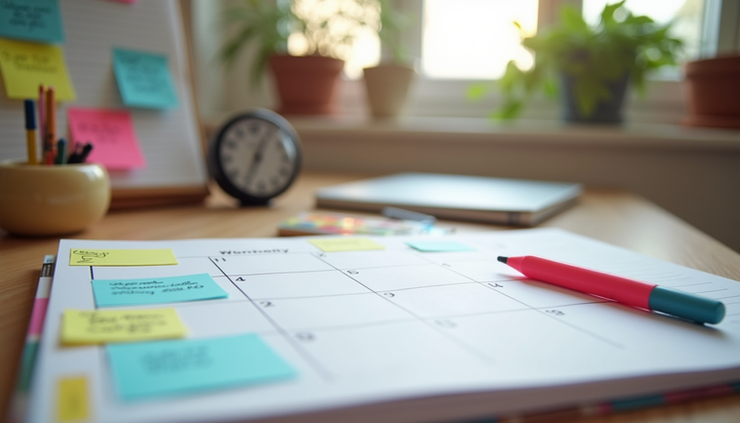
Physical Planner: Your Weekly Command Center
Nothing beats the feeling of writing down your week’s tasks in a beautifully designed physical planner. It’s tactile, satisfying, and helps you visualize your schedule clearly. I use a planner with weekly spreads that let me jot down appointments, to-dos, and even little reminders. The layout is clean but cute, with plenty of space for notes and doodles.
Why I love it:
Keeps all your weekly plans in one place
Encourages daily check-ins and reflection
Makes planning feel intentional and fun
Sticky Notes: Quick Reminders That Pop
Sticky notes are lifesavers for those last-minute ideas or urgent tasks. I stick them on my planner pages, laptop, or whiteboard to keep important things visible. Plus, their bright colors add a playful touch to my workspace.
How I use sticky notes:
Highlight urgent tasks or deadlines
Write motivational quotes or affirmations
Create mini to-do lists for the day
Whiteboard: Big Picture Weekly Overview
A whiteboard is perfect for mapping out your week at a glance. I use mine to sketch out major goals, deadlines, and appointments. It’s easy to update and keeps me focused on what matters most.
Benefits of a whiteboard:
Visualizes your week in a large format
Easy to erase and adjust plans
Great for brainstorming and tracking progress
Timer: Stay Focused and Beat Procrastination
Using a timer helps me break work into manageable chunks. I usually set it for 25 minutes of focused work followed by a 5-minute break, a method known as the Pomodoro Technique. It keeps me energized and prevents burnout.
Why timers work:
Boosts concentration by creating urgency
Encourages regular breaks to refresh your mind
Helps track how long tasks actually take
Calendar: Never Miss a Beat
A physical calendar complements my planner by giving me a monthly overview. I hang it where I can see it daily, so I’m always aware of upcoming events and deadlines.
How a calendar helps:
Shows long-term commitments at a glance
Helps plan ahead for busy weeks
Keeps birthdays and special dates visible
Highlighters: Add Color and Clarity
Highlighters are my secret weapon for making important tasks stand out. I use different colors to categorize work, personal, and urgent items. It makes scanning my planner quick and easy.
Tips for using highlighters:
Assign a color to each category (e.g., pink for urgent)
Highlight deadlines and appointments
Use sparingly to avoid clutter
Habit Tracker Journal: Build Consistency with Style
Tracking habits is key to building routines that stick. I use a habit tracker journal to monitor daily habits like drinking water, exercising, or reading. It’s motivating to see progress and keeps me accountable.
Why a habit tracker works:
Visual proof of your consistency
Encourages small daily wins
Helps identify patterns and areas for improvement
Notion: The Digital Planning Powerhouse
While I love my physical tools, Notion is my go-to digital planner. It’s a flexible website and app that lets you customize your planning system exactly how you want it. You can create weekly to-do lists, habit trackers, calendars, and even store notes all in one place.
What makes Notion so useful:
Combines multiple planning tools in one app
Easy to customize with templates and widgets
Syncs across devices so you can plan anywhere
Great for collaboration if you work with a team
If you prefer digital planning or want to complement your physical tools, Notion is a must-try. It’s perfect for people who love organizing everything in one neat, accessible spot.


Comments